
Guide
Edit to the Beat: Audio and Beat Sync in Toji Motion
Fan edits live and die by the beat. This guide brings the song in first, finds its beats on the timeline, lands cuts and keyframes on them, and fixes the drift when sync slips.
 By Felix Marlowe, Motion Graphics App Reviewer
CUE SHEET On this page
Bring the Song In First
Music edits are built backwards: the song is the structure and the pictures are the decoration. Import the track into the Toji Motion APK before placing a single layer, listen to it on the timeline twice, and let its shape decide where the edit's acts fall: the quiet intro, the build, the drop, the break.
Work at the song's own length. Trimming a track mid-phrase to fit a planned duration makes every later cut feel impatient; choose the section of the song first and let it be the boss of the timeline.
Finding the Beat
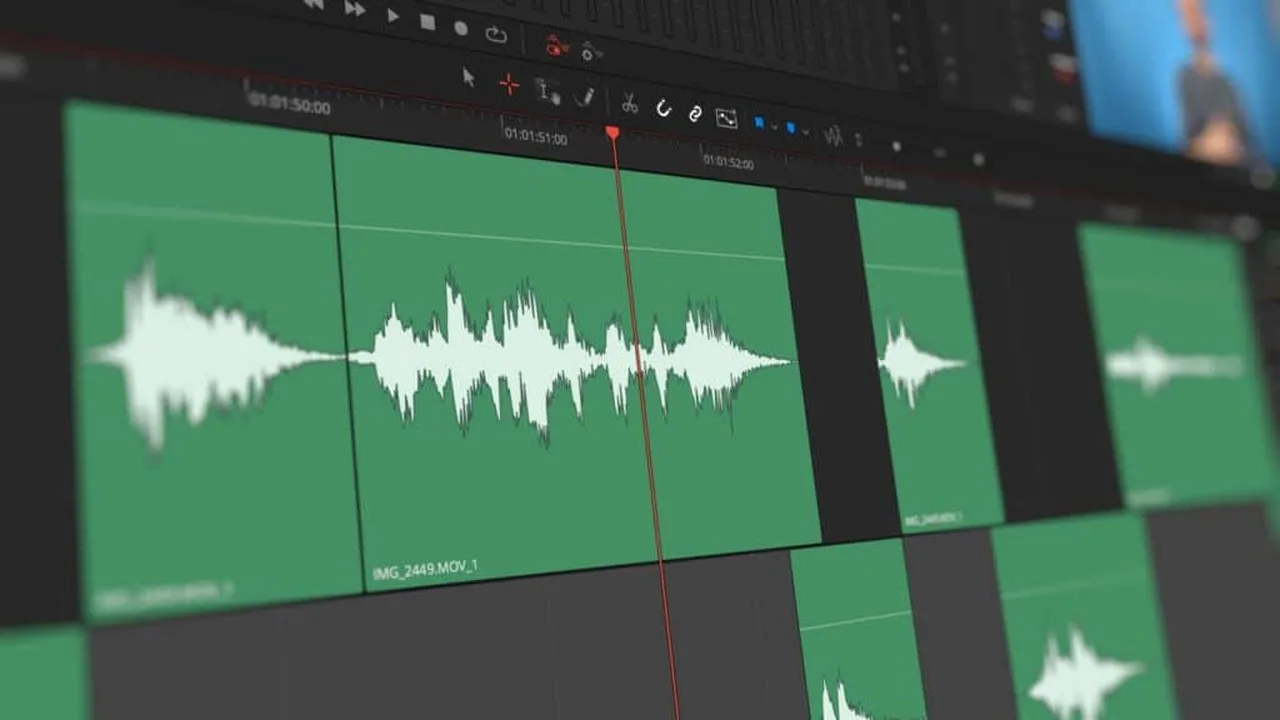
Zoom into the waveform until the beats stand up as visible peaks; in most songs the drum hits draw themselves. Scrub slowly across a chorus and mark the pattern: beats usually arrive in fours, and the first beat of each group is where big changes belong. Place markers or empty keyframes on the timeline at the hits you intend to use, while listening, not while looking at pictures.
Trust your ears over your eyes. A cut that lands a frame or two before the audible hit often feels tighter than one placed exactly on the waveform's tallest peak.
Cutting Layers on the Beat
Now give the beats jobs: new layers enter on hits, shakes land on the drop, zooms punch on the downbeat. The shake effect guide covers the impact move itself; sync is what makes it feel earned rather than random. Not every beat needs an event. Mark the strong beats for changes and let the weak ones pass, or the edit turns into a metronome with pictures.
Text follows the same law. A lyric word that appears as it is sung feels inevitable; the same word two beats late feels like a subtitle error.
When the Sync Drifts
If cuts start landing late as the edit grows, the cause is usually cumulative: layers trimmed by eye, a clip stretched somewhere upstream. Return to the waveform, find the first place picture and sound part company, and fix it there rather than nudging the end. Settings for the final render live in our export settings guide; export cannot repair sync, it can only preserve it.
Play the full edit with your eyes closed once. If the cuts still feel right as pure rhythm, the sync is honest.
When you need the app itself, the download page on this site is the place to get it.
Quick Answers
How do I find the beat of a song in the editor?
Zoom into the audio waveform until the drum hits show as peaks, scrub slowly, and mark the strong beats. Beats usually group in fours; the first of each group carries the big changes.
Should every beat have a cut or effect?
No. Give the strong beats the events and let weak beats pass, or the edit feels mechanical. Sync is about emphasis, not coverage.
Why does my edit drift out of sync near the end?
Small trims accumulate. Find the first point where picture and sound separate, fix it there, and the rest of the timeline usually falls back into place.